Aegentic / client operations

Cases.

Real workflows from practice, shown anonymised.

Rows of Dutch houses with tiled roofs01 / field service
Roofing company

From request to report, ready for approval.

A customer asks for a roof inspection. The platform checks the existing CRM, creates the lead and keeps every next step tied to that record.

  1. Request capturedAddress, urgency and the customer question come in once.
  2. Inspection processedPhotos and voice notes are linked to the right sections of the roof.
  3. Report preparedFindings, evidence and proposed follow-up are ready for human approval.
  4. Two subscriptions cancelledThe platform now covers those functions itself, so two software licences could go.

Map a workflow like this
The platform in between

Messages in. Work out.

Customer requests, updates from your team and data from your systems come together in one operational layer. The platform understands the context and turns it into replies, tasks and decisions ready for approval.

A money changer and his wife weigh coins and keep their accounts02 / accountancy
Accounting firm

The mail is read before anyone opens it.

At an accounting firm, mail comes in all day: client questions, tax office documents, bank confirmations. The platform reads along, links each message to the right client file and surfaces what needs action. If there is a deadline, it is in the calendar before anyone thinks of it.

Map a workflow like this
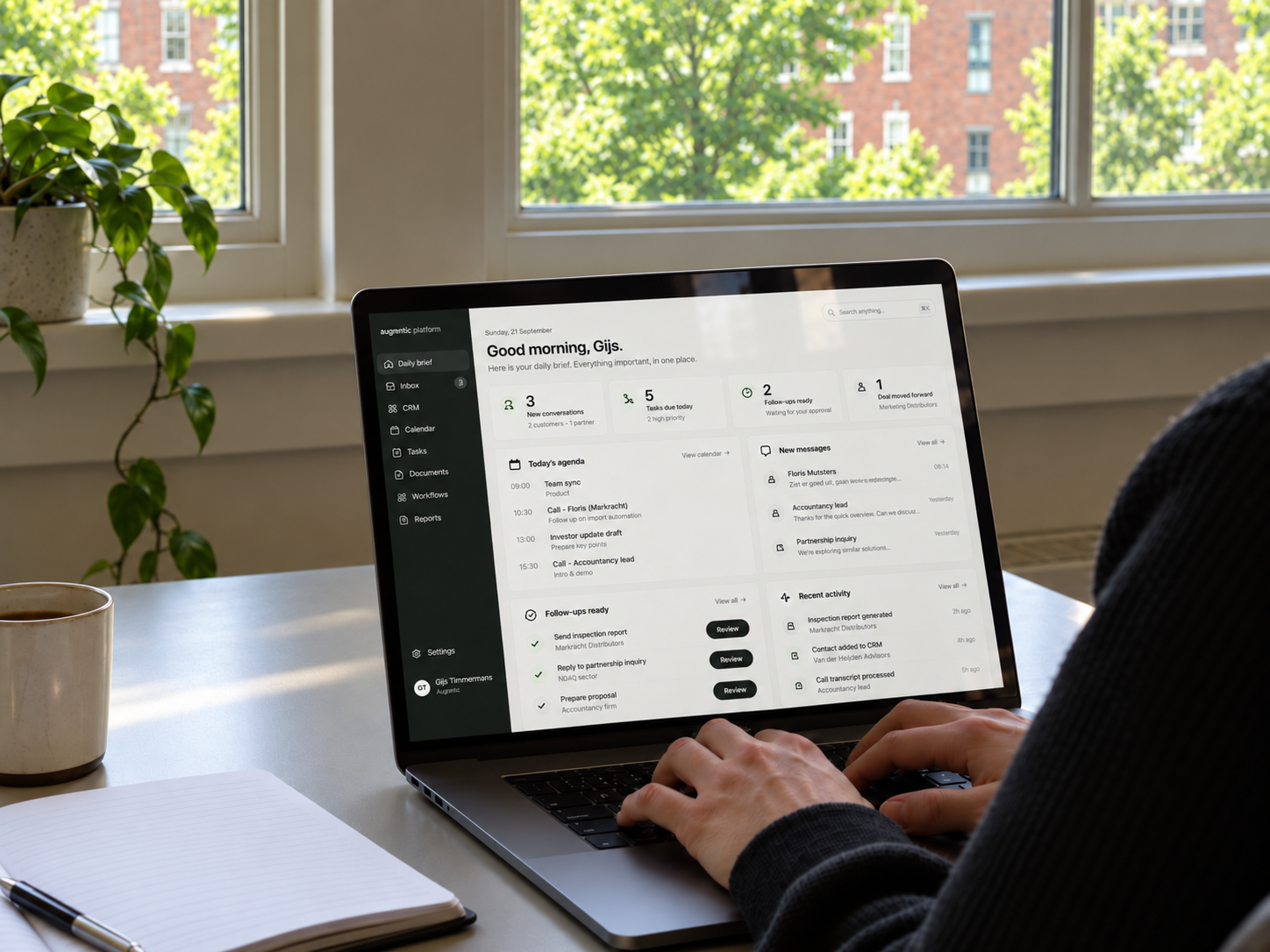
Owner reviewing the daily brief in the Aegentic platform 03 / running the business
Daily business brief

Immediate view of where things stand, without switching between systems.

The platform connects the existing CRM, inbox, calendar, conversations and financial context into one operational layer. Every morning it gathers what changed and builds a brief with source references: what needs attention, what is stuck and what should happen next.

  1. Keep what worksSystems that do their job stay put and stay the source. No data migration.
  2. Context brought togetherCustomers, conversations, appointments, tasks and amounts are linked across sources.
  3. Replace what does notWhere a package falls short we build that function ourselves, and the licence can go.
  4. Brief preparedThe owner gets a prioritised overview with links to the record and decisions that need approval.
Map a workflow like this
Pain points

What owners tell us.

Seven things we hear almost everywhere. Recognise one? Then we know where to start.

01

I have been waiting months for a feature I need

02

My requests disappear into a black hole

03

The package was built for a different kind of business than mine

04

I pay for features I never use

05

My people work around it, in Excel and WhatsApp

06

The reports look great, the daily work does not get any easier

07

Every system has its own version of the truth